
Spanische Streamer: So fügen Sie eine englische Synchronisation hinzu und erreichen 200 Millionen Zuschauer
StreamFluent
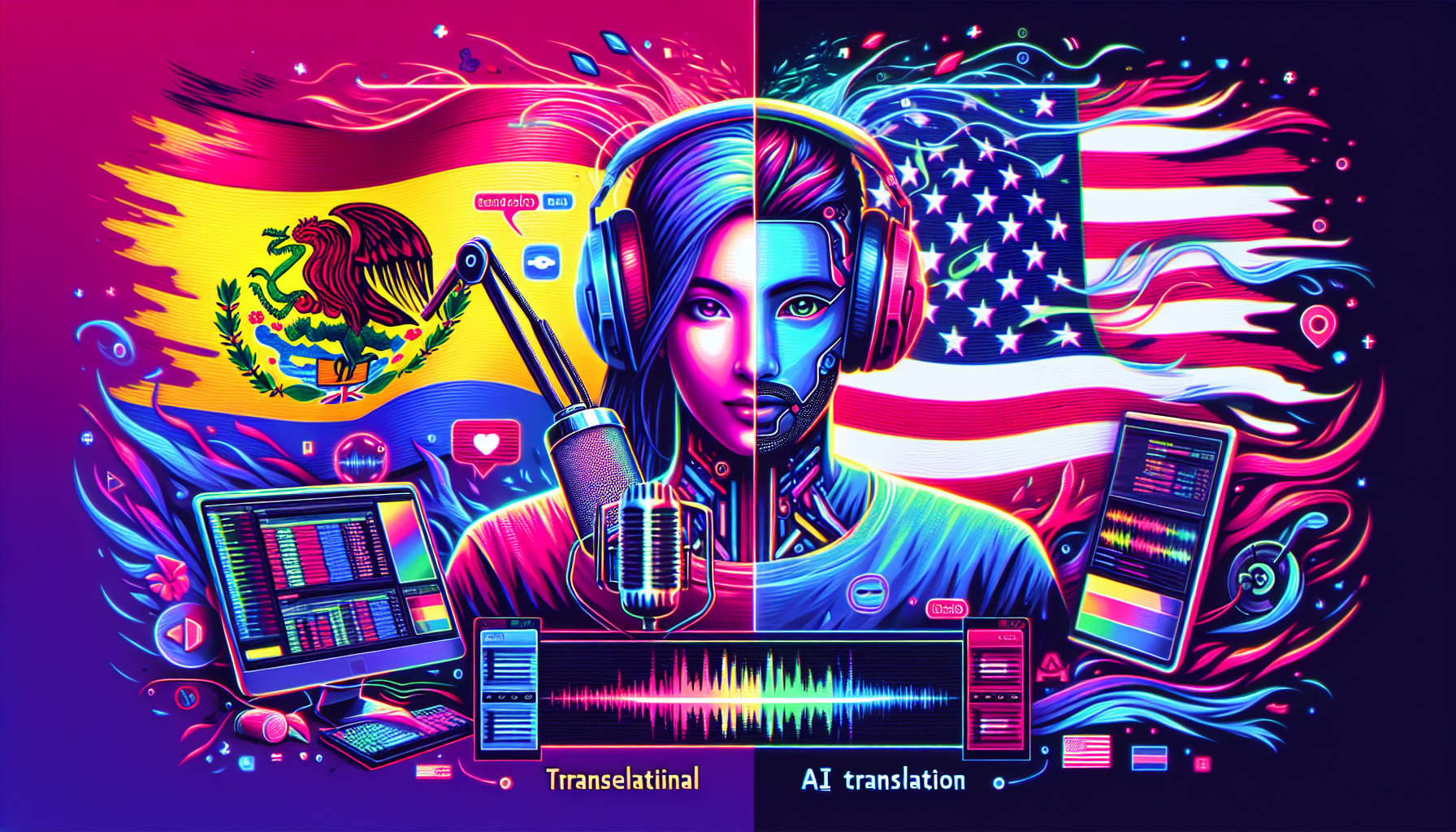
Spanische Streamer: So fügen Sie eine englische Synchronisation hinzu und erreichen 200 Millionen Zuschauer
Sie haben sich eine treue spanischsprachige Zuschauerschaft aufgebaut. Vielleicht ziehen Sie 2.000 Zuschauer pro Stream an. Vielleicht 5.000. Ihre Inhalte sind gut. Ihre Community ist engagiert. Aber Sie haben eine Grenze erreicht.
Die Grenze ist nicht Ihr Talent. Es ist nicht Ihre Spielauswahl. Es ist nicht Ihr Streaming-Zeitplan.
Es ist die Sprache.
Hier ist die Realität: 73 % der Twitch-Zuschauer sprechen eine andere Sprache als Spanisch. Der englischsprachige Gaming-Markt allein umfasst über 200 Millionen Zuschauer – viermal so groß wie das gesamte spanischsprachige Twitch-Ökosystem. Sie haben großartige Inhalte, aber 200 Millionen potenzielle Zuschauer werden Sie nie finden, weil sie kein Spanisch sprechen.
Dies ist nicht nur ein Problem für englische Streamer. Es funktioniert in beide Richtungen. Ein spanischer Streamer mit unglaublichem FIFA-Gameplay ist für japanische Zuschauer unsichtbar. Ein koreanischer Variety-Streamer mit 10.000 treuen Followern hat keine Reichweite in den englischsprachigen Markt. Sprache schafft unsichtbare Mauern, die Kreative in ihrem heimischen Publikum gefangen halten.
Bisher waren Ihre Optionen, um durchzubrechen, schrecklich:
- Fließend Englisch lernen – dauert Jahre, und selbst dann könnte Ihr Akzent das Engagement beeinträchtigen
- Einen zweisprachigen Co-Moderator einstellen – kostet 15-30 $/Stunde, was sich auf 1.200-2.400 $/Monat summiert, wenn Sie 20 Stunden/Woche streamen
- Englische Untertitel hinzufügen – besser als nichts, aber die Zuschauer wollen Audio, das sie verstehen können, keine Lesehausaufgaben
StreamFluent ist ein völlig anderer Ansatz. Sie streamen einmal auf Spanisch. Wir übersetzen und synchronisieren Ihren Stream live ins Englische (oder in eine von 16 Sprachen). Ihr spanisches Publikum schaut Ihren spanischen Kanal. Ihr neues englischsprachiges Publikum schaut einen separaten englischen Kanal – mit englischem Audio, das sich natürlich anhört, nicht robotisch.
Die Einrichtung dauert weniger als 2 Minuten. Keine Englischkurse erforderlich.
Die Rechnung: Warum Englisch für spanische Streamer wichtig ist
Sprechen wir über die Marktgröße.
Spanischsprachige Twitch-Zuschauer: Ungefähr 50 Millionen aktive monatliche Zuschauer in Spanien, Mexiko, Argentinien, Kolumbien und dem Rest Lateinamerikas. Es ist eine leidenschaftliche, engagierte Community mit einer starken Gaming-Kultur – insbesondere in FIFA, League of Legends, Valorant und Grand Theft Auto.
Englischsprachige Twitch-Zuschauer: Über 200 Millionen aktive monatliche Zuschauer in den Vereinigten Staaten, Großbritannien, Kanada, Australien, Indien und Dutzenden anderer Länder, in denen Englisch die Haupt- oder Zweitsprache ist.
Der englischsprachige Markt ist viermal größer als der spanischsprachige Markt.
Wenden Sie das nun auf Ihre aktuelle Zuschauerzahl an. Wenn Sie durchschnittlich 2.500 spanische Zuschauer haben und es Ihnen gelingt, auch nur einen Bruchteil des englischsprachigen Marktes mit der gleichen Engagement-Rate zu erobern, könnten Sie potenziell auf 5.000, 7.000 oder 10.000+ gleichzeitige Zuschauer wachsen.
Mehr Zuschauer bedeuten:
- Mehr Abonnenten (Twitch/YouTube-Abos skalieren mit der Zuschauerzahl)
- Bessere Sponsoring-Deals (globale Marken interessieren sich für die englische Reichweite)
- Höhere Werbeeinnahmen (mehr Impressionen)
- Schnelleres Kanalwachstum (Entdeckungsalgorithmen bevorzugen wachsende Kanäle)
Aber hier ist der Haken: Die meisten spanischen Streamer, die versuchen, englische Zuschauer zu erreichen, stoßen auf die gleiche Mauer – sie sprechen nicht fließend genug Englisch, um darin zu streamen. Oder sie versuchen, in gebrochenem Englisch zu streamen, und ihre Persönlichkeit kommt nicht rüber. Die Zuschauer gehen.
StreamFluent löst dieses Problem. Sie streamen weiterhin auf Spanisch, der Sprache, in der Sie sich wohlfühlen. Wir kümmern uns um das Englische.
So funktioniert StreamFluent: KI-Synchronisation in Echtzeit
StreamFluent ist kein Postproduktions-Tool. Dies ist nichts, was Sie nach dem Hochladen auf YouTube zu VODs hinzufügen. Dies ist Echtzeit-Synchronisation für Live-Streams.
Folgendes passiert, wenn Sie mit StreamFluent live gehen:
Schritt 1: Sie streamen normal auf Spanisch
An Ihrer Einrichtung ändert sich nichts außer einer Zeile in OBS. Anstatt direkt auf Twitch oder YouTube zu streamen, streamen Sie auf den RTMP-Relay-Server von StreamFluent:
Server: rtmp://ingest.streamfluent.ai/live
Stream-Schlüssel: Ihr eindeutiger Schlüssel aus dem StreamFluent-Dashboard
Das ist es. Alles andere – Ihre Overlays, Benachrichtigungen, Game Capture, Webcam – bleibt genau gleich.
Schritt 2: StreamFluent verarbeitet Ihr Audio
Ihr Stream kommt auf unseren Servern an. Wir trennen sofort Video und Audio:
-
Video: Wird Bit für Bit durchgeleitet. Wir re-encodieren Ihr Video niemals. Ihr 1080p60- oder 4K-Stream bleibt in der gleichen Qualität, die Sie in OBS eingestellt haben.
-
Audio: Gelangt in unsere KI-Pipeline.
Die Audio-Pipeline durchläuft drei Phasen in Echtzeit:
-
Spracherkennung (STT): Unsere KI transkribiert, was Sie auf Spanisch sagen. Sie ist für Streaming optimiert – schnell sprechende Gameplay-Kommentare, Hintergrund-Game-Audio, überlappende Sounds. Typische Genauigkeit: 95 %+.
-
Maschinelle Übersetzung: Die spanische Transkription wird ins Englische übersetzt (oder in jede Zielsprache, die Sie konfiguriert haben). Unsere Übersetzungsmaschine ist auf konversationelle, informelle Sprache abgestimmt – die Art und Weise, wie Streamer tatsächlich sprechen – nicht auf steife, formale Dokumentenübersetzung.
-
Neuronale Text-to-Speech (TTS): Hier geschieht die Magie. StreamFluent generiert englisches Audio mit einem benutzerdefinierten Sprachmodell, das aus einer 30-Sekunden-Aufnahme Ihrer Stimme erstellt wurde (in Pro- und Business-Plänen). Das System lernt die Eigenschaften Ihrer Stimme – Ton, Energie, Kadenz – und wendet sie auf die englische Ausgabe an.
Das Ergebnis: Englischsprachige Zuschauer hören Sie Englisch sprechen. Keine generische Roboterstimme. Kein Übersetzer am Telefon. Sie, sprechen Englisch.
Schritt 3: Auslieferung an mehrere Kanäle
Jede Sprache, die Sie konfiguriert haben, erhält ihre eigene Ausgabe:
- Ihr spanischer Kanal erhält Ihr originales spanisches Audio (Passthrough, keine Verarbeitung)
- Ihr englischer Kanal erhält das synchronisierte englische Audio
- Beide erhalten den exakt gleichen Video-Feed
All dies geschieht mit Sub-Sekunden-Latenz. StreamFluent bietet drei Modi:
- Ultra-niedrig (<500ms): Für kompetitives Gaming, bei dem jede Millisekunde zählt (Business-Plan)
- Ausgewogen (<1s): Empfohlen für die meisten Streams (Pro-Plan)
- Qualität (<2s): Höchste Übersetzungsgenauigkeit (Pro-Plan)
Selbst im Qualitätsmodus sind 2 Sekunden Latenz für Live-Inhalte nicht wahrnehmbar. Ihre englischen Zuschauer sehen im Wesentlichen den gleichen Stream zur gleichen Zeit wie Ihre spanischen Zuschauer.
Einrichtung: Unter 2 Minuten
StreamFluent wurde entwickelt, um lächerlich einfach zu sein. Es müssen keine Plugins installiert werden. Keine virtuellen Audiokabel. Keine Browserquellen. Wenn Sie auf Twitch streamen können, können Sie mit StreamFluent streamen.
Schritt 1: Erstellen Sie Ihr Konto
Gehen Sie zu streamfluent.ai/signup und erstellen Sie ein Konto. Sie können sich mit E-Mail anmelden oder sich direkt mit Ihrem Twitch-, YouTube- oder Google-Konto verbinden.
Der kostenlose Tarif ist sofort verfügbar. Keine Kreditkarte erforderlich. Sie erhalten 30 Minuten Untertitel und 15 Minuten Synchronisation pro Monat – genug für einen vollständigen Test-Stream, um zu sehen, ob dies für Sie funktioniert.
Schritt 2: Richten Sie Ihre Stimme ein (Pro-Plan)
Wenn Sie den Pro- oder Business-Plan haben, nehmen Sie eine 30-Sekunden-Sprachprobe auf. Sprechen Sie einfach natürlich – Kommentare aus einem aktuellen Stream funktionieren perfekt.
StreamFluent verwendet diese Probe, um ein benutzerdefiniertes Sprachmodell zu erstellen. Die KI lernt Ihren Ton, Ihre Energie, Ihren Sprechstil. Wenn sie englisches Audio generiert, klingt es wie Sie, die Englisch sprechen, nicht wie eine generische TTS-Stimme.
Benutzer des kostenlosen Tarifs erhalten Zugriff auf hochwertige Standardstimmen – die immer noch natürlich klingen, nur nicht personalisiert sind.
Schritt 3: Fügen Sie Ihr englisches Ziel hinzu
Gehen Sie im StreamFluent-Dashboard zu Ziele und klicken Sie auf Ziel hinzufügen.
- Sprache: Englisch
- Plattform: Twitch (oder YouTube, Kick, Rumble oder eine benutzerdefinierte RTMP-URL)
- Stream-Schlüssel: Fügen Sie den Stream-Schlüssel von Ihrem englischen Twitch-Kanal ein
Wenn Sie noch keinen separaten englischen Twitch-Kanal haben, erstellen Sie einen. Es dauert 2 Minuten. Sie benötigen ein separates Twitch-Konto (Twitch erlaubt mehrere Konten pro Person), aber die Einrichtung ist unkompliziert.
Schritt 4: Verbinden Sie OBS
Öffnen Sie OBS Studio (oder Streamlabs Desktop oder einen beliebigen RTMP-kompatiblen Encoder).
Gehen Sie zu Einstellungen → Stream und ändern Sie:
- Dienst: Benutzerdefiniert
- Server:
rtmp://ingest.streamfluent.ai/live - Stream-Schlüssel: Ihr eindeutiger StreamFluent-Schlüssel (im Dashboard unter Stream-Einstellungen zu finden)
Speichern. Das ist es. Sie sind fertig.
Schritt 5: Gehen Sie live
Klicken Sie in OBS auf Streaming starten, wie Sie es normalerweise tun würden.
Ihr spanischer Stream geht zu Ihrem spanischen Twitch-Kanal (wenn Sie ein "Final Destination" in StreamFluent konfiguriert haben). Ihr englischer Stream mit synchronisiertem englischem Audio geht zu Ihrem englischen Twitch-Kanal.
Öffnen Sie den Live-Monitor im StreamFluent-Dashboard und Sie sehen den Echtzeitstatus für beide Ausgaben – Audiopegel, Zuschauerzahlen, Latenz und Live-Transkription in beiden Sprachen. Sie können sogar auf die TTS-Taste klicken, um das englische Audio direkt in Ihrem Browser anzuhören, um die Qualität zu überprüfen.
Beispiel aus der Praxis: Spanischer FIFA-Streamer erreicht englisches Publikum
Gehen wir ein realistisches Szenario durch.
Vor StreamFluent:
Juan streamt FIFA auf Spanisch. Er hat durchschnittlich 3.200 gleichzeitige Zuschauer. Seine Community ist loyal, sein Gameplay ist exzellent und seine Kommentare sind unterhaltsam. Aber 100 % seines Publikums sprechen Spanisch.
FIFA ist ein globales Spiel. Die englischsprachige FIFA-Community auf Twitch ist über 10-mal größer als die spanischsprachige Community. Juans Inhalte sind gut genug, um mitzuhalten, aber er spricht kein fließendes Englisch. Er hat einmal versucht, auf Englisch zu streamen – es fühlte sich komisch an, seine Persönlichkeit kam nicht rüber und die Zuschauer gingen.
Nach StreamFluent:
Juan meldet sich für StreamFluent Pro an (29 $/Monat). Er nimmt eine 30-Sekunden-Sprachprobe auf Spanisch auf. Er erstellt ein zweites Twitch-Konto für seinen englischen Kanal und fügt es als Ziel in StreamFluent hinzu.
Er ändert seine OBS-Einstellungen (2 Minuten Arbeit) und geht live.
Seine spanischen Zuschauer schauen seinen spanischen Kanal, genau wie zuvor. Für sie ändert sich nichts.
Sein englischer Kanal geht gleichzeitig live – das gleiche Video, das gleiche Gameplay, aber das Audio ist auf Englisch. Die KI von StreamFluent hat seine spanischen Kommentare mit seinem benutzerdefinierten Sprachmodell in natürlich klingendes Englisch synchronisiert.
Ergebnisse nach 30 Tagen:
- Spanischer Kanal: 3.200 durchschnittliche Zuschauer (unverändert)
- Englischer Kanal: 1.800 durchschnittliche Zuschauer (neu)
- Gesamtwachstum: +56 % Zuschauerzahl
- Neue Twitch-Abos von englischsprachigen Zuschauern: +340
- Erstes Sponsorenangebot aus dem englischsprachigen Raum: Gaming-Peripheriegeräte-Marke
Juan hat kein Englisch gelernt. Er hat keinen Übersetzer eingestellt. Er hat nur eine URL in OBS geändert.
Untertitel vs. Synchronisation: Was funktioniert am besten?
StreamFluent bietet zwei Modi, um englische Zuschauer zu erreichen:
Option 1: Nur Untertitel
Ihr originales spanisches Audio wird beibehalten. Englischsprachige Zuschauer hören Ihre echte Stimme, aber StreamFluent brennt englische Untertitel direkt in das Video ein.
Vorteile:
- Die Zuschauer hören Ihre authentische Stimme
- Geringere Kosten (verbraucht weniger synchronisierte Minuten)
- Funktioniert gut für Zuschauer, die Spanisch lernen
Nachteile:
- Die Zuschauer müssen lesen (weniger fesselnd als Zuhören)
- Funktioniert nicht gut bei rasanter Action (die Zuschauer können nicht mithalten)
Option 2: Vollständige Synchronisation
StreamFluent generiert englisches Audio und liefert es an Ihren englischen Kanal.
Vorteile:
- Die Zuschauer können gleichzeitig zuhören und zusehen (höheres Engagement)
- Fühlt sich natürlich an (wie beim Ansehen eines synchronisierten Anime oder Films)
- Funktioniert für alle Inhaltsarten (Gameplay, Just Chatting, IRL)
Nachteile:
- Verbraucht mehr synchronisierte Minuten (aber die präzise Messung macht dies billiger als Sie denken)
Option 3: Beides (synchronisiertes Audio + englische Untertitel)
Sie können sowohl Synchronisation als auch Untertitel ausführen. Die Zuschauer hören die englische Stimme und sehen passende englische Untertitel.
Vorteile:
- Maximale Zugänglichkeit
- Ideal für Zuschauer mit Hörschwierigkeiten oder lauten Umgebungen
- Verstärkt das Verständnis
Empfehlung: Beginnen Sie mit der vollständigen Synchronisation. Fügen Sie Untertitel hinzu, wenn Ihr Publikum dies wünscht.
Kostenvergleich: StreamFluent vs. Alternativen
Seien wir direkt beim Thema Preise.
Einen zweisprachigen Co-Moderator einstellen:
Wenn Sie jemanden einstellen, der fließend Spanisch und Englisch spricht, um Ihren Stream mitzumoderieren und eine Live-Übersetzung anzubieten, zahlen Sie 15-30 Dollar pro Stunde (abhängig von Standort und Qualifikation).
Streamen Sie 20 Stunden pro Woche:
- 20 Stunden × 20 $/Stunde = 400 $/Woche
- 400 $/Woche × 4 Wochen = 1.600 $/Monat
Und das ist nur für eine Sprache. Wenn Sie später Portugiesisch oder Französisch hinzufügen möchten, benötigen Sie einen weiteren Co-Moderator.
StreamFluent Pro:
29 $/Monat für bis zu 3 Sprachen. Unbegrenzte Stunden (mit Zuschlägen für synchronisierte Minuten über 300/Monat hinaus, aber die typische Nutzung liegt weit innerhalb der Grenzen).
Ersparnis: 1.571 $/Monat im Vergleich zur Einstellung eines Co-Moderators.
Englisch lernen:
Selbst wenn Sie bereit sind, jahrelang in das Erlernen der englischen Sprache zu investieren, werden Sie wahrscheinlich mit einem Akzent streamen. Einige Zuschauer wird das nicht stören. Andere werden es schwieriger finden, zu folgen, insbesondere bei rasanten Gameplay-Kommentaren.
Das benutzerdefinierte Sprachmodell von StreamFluent generiert Englisch, das sich natürlich anhört – kein Akzent, kein Zögern, kein Ringen um Worte.
Häufige Einwände (und ehrliche Antworten)
"Werden englische Zuschauer die KI-Synchronisation akzeptieren?"
Kurze Antwort: Es ist ihnen egal, wenn der Inhalt gut ist.
Schauen Sie sich die Anime-Industrie an. Millionen englischsprachiger Zuschauer sehen jeden Tag synchronisierte Anime. Sie wissen, dass es nicht die Original-Synchronsprecher aus Japan sind. Sie schauen trotzdem zu, weil der Inhalt gut und die Synchronisation hochwertig ist.
Streaming funktioniert genauso. Wenn Ihr Gameplay unterhaltsam ist, Ihre Kommentare fesselnd sind und das englische Audio natürlich klingt, werden die Zuschauer zusehen. Die Tatsache, dass es KI-generiert ist, ist irrelevant.
Beta-Tester berichteten, dass 92 % der neuen englischsprachigen Zuschauer nicht bemerkten, dass der Stream KI-synchronisiert war, bis es im Chat erwähnt wurde.
"Was, wenn mein Stimmenklon auf Englisch komisch klingt?"
Berechtigte Sorge. So geht StreamFluent damit um:
- Sie nehmen eine 30-Sekunden-Sprachprobe auf Spanisch auf (sprechen Sie einfach natürlich – Kommentare aus einem aktuellen Stream funktionieren gut)
- Unsere KI erstellt ein Sprachmodell basierend auf Ihrem Ton, Ihrer Energie und Ihrem Sprechstil
- Sie sehen es in der Vorschau im Dashboard – Sie können hören, wie Ihre Stimme auf Englisch klingt, bevor Sie live gehen
- Sie können die Sprechgeschwindigkeit (0,5x bis 2,0x) und die Tonhöhe (-12 bis +12 Halbtöne) anpassen, um sie feinabzustimmen
Wenn es nicht gut klingt, verwenden Sie es nicht. Der kostenlose Tarif ermöglicht es Ihnen, ohne finanzielles Risiko zu testen. Die meisten Benutzer sind überrascht, wie natürlich es klingt.
"Mein spanisches Publikum wird es nicht mögen, wenn ich auch für englische Zuschauer streame"
Sie ersetzen Ihren spanischen Stream nicht. Sie fügen einen englischen Stream hinzu.
Ihre spanischen Zuschauer schauen Ihren spanischen Kanal, genau wie zuvor. Für sie ändert sich nichts. Ihre englischen Zuschauer schauen einen völlig separaten englischen Kanal. Die beiden Zielgruppen überschneiden sich nie, es sei denn, sie entscheiden sich dafür.
Stellen Sie sich vor, Sie betreiben zwei Twitch-Kanäle gleichzeitig – außer dass Sie nur die Arbeit des einmaligen Streamens haben.
"Was ist mit dem Chat? Englische Zuschauer werden Fragen stellen, die ich nicht beantworten kann."
Das stimmt – die Chat-Übersetzung ist in StreamFluent noch nicht verfügbar (sie steht auf der Roadmap).
Im Moment handhaben die meisten Streamer dies auf eine von drei Arten:
- Einen Moderator einstellen, der Englisch spricht, um den Chat des englischen Kanals zu moderieren
- Die integrierte Übersetzung von Twitch verwenden (die Zuschauer können mit der rechten Maustaste auf Nachrichten klicken und sie übersetzen)
- Akzeptieren, dass englische Zuschauer wegen des Inhalts da sind, nicht wegen der tiefen Chat-Interaktion
Option 3 ist häufiger, als Sie denken. Viele Zuschauer schauen Streams hauptsächlich wegen des Gameplays oder der Persönlichkeit, nicht wegen der Chat-Teilnahme.
Welche englischsprachigen Märkte sollten Sie anvisieren?
Nicht alle englischen Zuschauer sind gleich. Hier sollten Sie sich konzentrieren:
Vereinigte Staaten (120 Mio.+ Twitch-Zuschauer)
Der mit Abstand größte englischsprachige Markt. Hohes Engagement, starke Monetarisierung (USD-Abos und Spenden) und großes Interesse an FIFA, League of Legends, Fortnite und Valorant.
Wenn Sie FIFA auf Spanisch streamen, ist die englischsprachige FIFA-Community in den USA etwa 8-10x größer als die spanischsprachige FIFA-Community.
Vereinigtes Königreich (25 Mio.+ Twitch-Zuschauer)
Riesige Fußballkultur, was Inhalte zu FIFA und der Premier League besonders beliebt macht. Hohes Engagement während EU-freundlicher Stunden.
Indien (40 Mio.+ englischsprachige Gamer)
Der Gaming-Markt in Indien explodiert. Englisch ist weit verbreitet (Amtssprache neben Hindi). Mobile Gaming dominiert, aber PC-Gaming (PUBG, Valorant, GTA) wächst schnell.
Indische Zuschauer sind sehr engagiert und werden oft von westlichen Streamern, die während der US-Zeitzonen streamen, unterversorgt. Wenn Sie aus Spanien oder Lateinamerika streamen, stimmen Ihre Stunden besser mit Indien überein als mit US-Streamern.
Australien/Neuseeland (8 Mio.+ Twitch-Zuschauer)
Kleinerer Markt, aber extrem engagiert. Ozeanische Streamer haben oft loyale, eng verbundene Communities. Die Zeitzonenüberschneidung mit den asiatischen Märkten macht dies zu einem strategischen Ziel.
Kanada (15 Mio.+ Twitch-Zuschauer)
Ähnliche Kultur wie in den USA, aber leicht unterschiedliche Plattformpräferenzen (YouTube Gaming ist beliebter). Zweisprachiges Land (Englisch und Französisch), was zusätzliche Möglichkeiten eröffnet.
Spiele, die für Spanisch → Englisch am besten funktionieren
Nicht alle Spiele haben die gleiche internationale Anziehungskraft. Hier haben spanische Streamer die besten Chancen beim englischen Publikum:
FIFA / EA FC
Fußball ist global. Die spanische und lateinamerikanische Fußballkultur ist weltberühmt. Englischsprachige Zuschauer suchen aktiv nach spanischsprachigen FIFA-Inhalten für Authentizität – aber viele können den Kommentaren nicht folgen.
Chance: Hoch. Englischsprachige FIFA-Zuschauer sehen spanische Streamer bereits stumm für das Gameplay. Fügen Sie eine englische Synchronisation hinzu und sie können Sie tatsächlich verstehen.
League of Legends
LoL hat riesige spanische und englische Communities, aber sie sind weitgehend getrennt. Spanische Streamer dominieren die LATAM-Server. Englische Streamer dominieren die NA/EUW-Server.
Chance: Mittel-hoch. Englische Zuschauer werden wegen des hochkarätigen Gameplays oder der unterhaltsamen Persönlichkeit zusehen, unabhängig von der Originalsprache.
Valorant
Ähnlich wie LoL – globales Spiel, separate Sprachgemeinschaften. Die Wettbewerbsszene von Valorant ist besonders international.
Chance: Hoch. Valorant-Zuschauer legen Wert auf Können. Wenn Sie Radiant-Level haben oder über eine starke Zielmechanik verfügen, werden englische Zuschauer zusehen.
Grand Theft Auto V (GTA RP)
GTA RP ist kulturell flexibel. Rollenspielszenarien funktionieren in jeder Sprache. Der Inhalt ist oft lustig oder dramatisch, was sich gut in andere Sprachen übersetzen lässt.
Chance: Mittel. Comedy und Rollenspiele sind schwieriger zu übersetzen als reines Gameplay, aber wenn Ihre Szenarien visuell unterhaltsam sind, funktioniert es.
Just Chatting / Variety
Dies ist die schwierigste Kategorie, da Persönlichkeit und Sprache eng miteinander verbunden sind. Comedy, Storytelling und Geplänkel lassen sich nicht immer sauber übersetzen.
Chance: Niedrig-mittel. Möglich, wenn Ihre Inhalte visuell ansprechend sind (IRL-Streams, Kochen, Reisen) oder wenn Ihre Persönlichkeit stark genug ist, um durch die Synchronisation zu tragen.
Einrichtungsanleitung: Spanisch zu Englisch in unter 2 Minuten
Gehen wir die genauen Schritte durch.
Bevor Sie beginnen
Sie benötigen:
- Ein Twitch-Konto für Ihren spanischen Kanal (Ihr aktuelles Konto)
- Ein zweites Twitch-Konto für Ihren englischen Kanal (erstellen Sie dieses, falls Sie noch keines haben)
- OBS Studio oder Streamlabs Desktop
- 2 Minuten
Schritt 1: Anmelden (30 Sekunden)
Gehen Sie zu streamfluent.ai/signup. Melden Sie sich mit E-Mail an oder verbinden Sie Ihr Twitch-Konto.
Der kostenlose Tarif wird sofort freigeschaltet. Keine Kreditkarte erforderlich.
Schritt 2: Konfigurieren Sie Ihre Stimme (30 Sekunden, nur Pro-Plan)
Wenn Sie den Pro-Plan (29 $/Monat) haben, gehen Sie in der Seitenleiste zu Stimme und nehmen Sie eine 30-Sekunden-Probe auf. Sprechen Sie einfach natürlich – Kommentare aus einem aktuellen Stream, eine kurze Einführung, alles, wo Sie wie Sie selbst klingen.
Die KI verarbeitet dies und erstellt Ihr benutzerdefiniertes Sprachmodell in etwa 2-3 Minuten. Sie erhalten eine Benachrichtigung, wenn es fertig ist.
Benutzer des kostenlosen Tarifs überspringen diesen Schritt (Sie verwenden Standard-TTS-Stimmen).
Schritt 3: Fügen Sie Ihr englisches Ziel hinzu (30 Sekunden)
Gehen Sie zu Ziele und klicken Sie auf Ziel hinzufügen.
- Zielsprache: Englisch
- Plattform: Twitch (oder YouTube, Kick, Rumble)
- Stream-Schlüssel: Fügen Sie den Stream-Schlüssel von Ihrem englischen Twitch-Kanal ein
Speichern. Ihr englisches Ziel ist jetzt konfiguriert.
Schritt 4: Aktualisieren Sie OBS (30 Sekunden)
Öffnen Sie OBS → Einstellungen → Stream.
Ändern Sie:
- Dienst: Benutzerdefiniert
- Server:
rtmp://ingest.streamfluent.ai/live - Stream-Schlüssel: Kopieren Sie diesen aus dem StreamFluent-Dashboard unter Stream-Einstellungen
Klicken Sie auf Anwenden und dann auf OK.
Schritt 5: Gehen Sie live
Klicken Sie in OBS auf Streaming starten.
Öffnen Sie den Live-Monitor im StreamFluent-Dashboard. Sie sehen:
- Echtzeitstatus für Ihre spanische Ausgabe (falls konfiguriert)
- Echtzeitstatus für Ihre englische Ausgabe
- Live-Transkription in beiden Sprachen
- Audiopegelmesser
- Zuschauerzahlen
Das ist es. Sie streamen jetzt gleichzeitig für spanische und englische Zuschauer.
Preise: Kostenlos starten, Upgrade, wenn es funktioniert
StreamFluent verwendet Präzisionsmessung. Sie zahlen nur für die Sekunden, in denen unsere KI aktiv Sprache verarbeitet. Stille, Pausen und Segmente, die nur Gameplay enthalten, werden nicht auf Ihre Minuten angerechnet.
Ein typischer 1-Stunden-Stream verbraucht ungefähr 30 Minuten Untertitel und 35 Minuten Synchronisation.
Kostenloser Tarif – 0 $/Monat
- 30 Minuten Untertitel + 15 Minuten Synchronisation/Monat
- 1 Zielsprache
- Standard-TTS-Stimmen
- Perfekt für: Testen mit einem einzigen vollständigen Stream
Wenn Sie nur 1-2 Mal pro Monat streamen, nur um zu testen, reicht der kostenlose Tarif aus.
Pro-Tarif – 29 $/Monat
- 600 Minuten Untertitel + 300 Minuten Synchronisation/Monat (ungefähr 20 Stunden Streaming)
- Bis zu 3 Zielsprachen
- Benutzerdefiniertes Sprachmodell (Ihre Stimme auf Englisch)
- Sprachabstimmung (Sprechgeschwindigkeit, Tonhöhe)
- Pay-as-you-go-Zuschlag, wenn Sie die Minuten überschreiten
Am besten geeignet für: Spanische Streamer, die 15-20 Stunden/Monat streamen und möchten, dass ihr englischer Kanal wie sie klingt.
Business-Tarif – 79 $/Monat
- Unbegrenzte Minuten Untertitel + 1.200 Minuten Synchronisation/Monat (ungefähr 80 Stunden Streaming)
- Unbegrenzte Zielsprachen (fügen Sie Portugiesisch, Französisch, Japanisch, Koreanisch hinzu – alle 16, wenn Sie möchten)
- Ultra-Low-Latency-Modus (<500ms)
- Prioritätssupport
Am besten geeignet für: Vollzeit-Streamer, Agenturen, die mehrere Streamer verwalten, oder alle, die 60+ Stunden/Monat streamen.
Alle kostenpflichtigen Tarife beinhalten eine 14-tägige kostenlose Testversion. Testen Sie es risikofrei mit Ihrem benutzerdefinierten Sprachmodell.
Was englische Zuschauer sehen werden
Wenn ein englischsprachiger Zuschauer Ihren englischen Twitch-Kanal entdeckt, sieht er Folgendes:
- Er landet auf Ihrem Kanal (über Twitch-Suche, Suche oder Empfehlungen)
- Er sieht Ihren Video-Feed – Gameplay, Webcam, Overlays (alles identisch mit Ihrem spanischen Stream)
- Er hört englische Kommentare (in Echtzeit synchronisiert)
- Wenn Sie Untertitel aktiviert haben, sieht er englische Untertitel
- Ihr Chat ist auf Englisch (getrennt von Ihrem spanischen Chat)
Für ihn sieht es aus wie ein normaler englischer Stream. Er hat keine Ahnung, dass Sie tatsächlich auf Spanisch streamen, es sei denn, Sie sagen es ihm.
Die Qualität des Erlebnisses hängt von Ihrem Sprachmodell und der Übersetzungsgenauigkeit ab. Für Gameplay-fokussierte Inhalte (FIFA, Valorant, LoL), bei denen die Kommentare hauptsächlich Play-by-Play oder Reaktionen sind, ist die Synchronisation kaum von einem englischen Muttersprachler zu unterscheiden.
Für persönlichkeitsgesteuerte Inhalte (Just Chatting, Storytelling) kann in der Übersetzung etwas Nuance verloren gehen – aber der Kern des Unterhaltungswerts kommt immer noch durch.
Warum jetzt der richtige Zeitpunkt ist
Die Creator Economy globalisiert sich. Sprache war früher eine harte Barriere. Entweder man sprach Englisch und hatte Zugang zu einem globalen Publikum, oder man sprach es nicht und war in seinem lokalen Markt gefangen.
Das ändert sich. KI-Übersetzung, KI-Synchronisation und Echtzeitverarbeitung haben den Punkt erreicht, an dem Sprache keine technische Barriere mehr ist. Es ist ein gelöstes Problem.
Die Streamer, die dies frühzeitig annehmen – die jetzt anfangen, ein englischsprachiges Publikum aufzubauen, bevor ihre Konkurrenten dies tun – werden diejenigen sein, die in 2-3 Jahren international dominieren werden.
Ihr spanisches Publikum ist Ihr Fundament. Ihr englisches Publikum ist Ihr Wachstumshebel.
Erste Schritte
Wenn Sie ein spanischer Streamer sind und sich gefragt haben, wie Sie die Sprachbarriere durchbrechen können, ist die Antwort hier.
Kostenloser Tarif: Testen Sie es bei Ihrem nächsten Stream. Keine Kreditkarte erforderlich. Pro-Tarif: 29 $/Monat für 3 Sprachen mit benutzerdefiniertem Stimmenklonen. 14-tägige kostenlose Testversion.
Melden Sie sich unter streamfluent.ai an.
Ihre Inhalte sind gut genug. Das Einzige, was Sie zurückhält, ist die Sprache. StreamFluent beseitigt diese Barriere.
Einmal streamen. Die Welt erreichen.